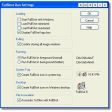
Potato Screen Capture

Potato Screen Capture
License:
Free
Language:
English
Developer:
OS:
Win98/98SE/Me/2000/XP
Added:
See detailed info

Softonic review

Elena Santos

“Simple, easy-to-use screen capturing tool”

by Elena Santos about Potato Screen Capture

If you have a blog or a personal website you probably need to take screenshots quite often. Fortunately with Potato Screen Capture this task is easier than ever.

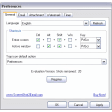
Potato Screen Capture is a simple, easy-to use screen capturing tool that can take snapshots of anything you see on your screen. It features three capturing modes (full screen, active window and user-defined area) and includes also a magnifying window and a color picker.

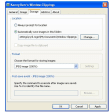
Once you've captured an image, Potato Screen Capture gives you several options: you can save it right to your hard drive, drag and drop it somewhere else, copy it to the clipboard, upload it to an FTP server or send it by email straight away, among others. This last option, however, requires a Gmail account.

Potato Screen Capture is the perfect choice if all you need is taking simple snapshots of your screen. However, it lacks some features you usually find in other similar tools, such as having keyboard hotkeys assigned to each capturing mode or allowing you to do some basic editing to the captured images.

Are you looking for a simple, quick, hassle-free capturing tool? Then Potato Screen Capture is exactly what you need.


Pros
  • Several screen capturing modes
  • Includes a magnifier and a color picker
  • Can upload to FTP or send by email right away
Cons
  • No support for keyboard hotkeys
  • No editing options
Free Download Potato Screen Capture 1.0.409 Beta

Potato Screen Capture is virus free

We have analyzed the latest version of Potato Screen Capture with 30 antivirus engines and it is virus free. See analysis results.

TESTED VIRUS FREE - Softonic GUARANTEED

Review and rate Potato Screen Capture

Your avatar

Your opinion is important.
Help other users - be the first to review this program.

Review
  1. Maximum: 75 characters

  2. See example

Pros and Cons
Rate
  1. What rating would you give Potato Screen Capture?

    You need to fill in all fields

    • Usability:

      Not rated
    • Stability:

      Not rated
    • Installation:

      Not rated
    • Functionality:

      Not rated
    • Appearance:

      Not rated
    • Overall rating:

      Not rated
  2. Don't worry, we won't make your email address public.

You're not allowed to share serial numbers, cracks, etc. or link to pages that contain them. If you do, your user account will be deleted, your IP address logged and legal action will be taken.

Get started - just ask a question!

Write a title for your question.

Alternativesto Potato Screen Capture

  • In English:
    Lightscreen
    Lightscreen

    Small and simple screenshot tool

    Softonic rating:
    • 8/10
    User rating:
    • 8/10
  • Better rating:
    Screenshot Captor
    Screenshot Captor

    Simple and functional screenshot program

    Softonic rating:
    • 9/10
    User rating:
    • 9/10
Compare with Potato Screen Capture
Download rank: Screen capture software

51 of 103

Softonic rating:
  • Good
  • 7/10
Your rating:
Your rating
  • 0

Review and rate this program

Top Downloads: Screen capture software

  • United States
  • Global

  1. Snagit

    The leader in screen capture

  2. Jing
  3. EasyCapture
  4. PicPick
  5. ScreenHunter

Reviews of Potato Screen Capture in other languages